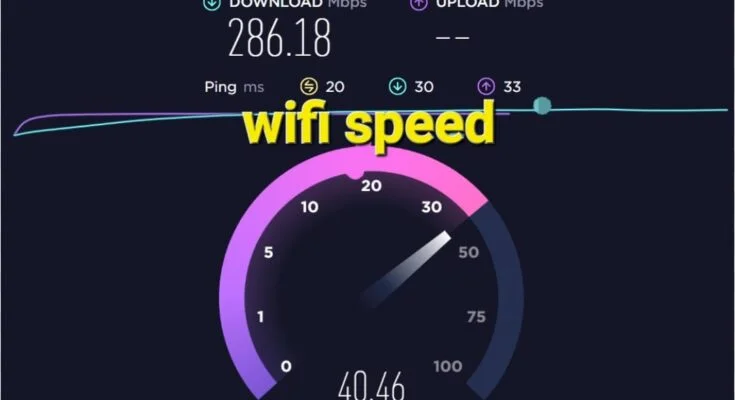
A Wi-Fi speed check is a quick and effective way to measure how well your internet connection is performing. It provides clear insights into three main metrics — download speed, upload speed, and ping (latency) — which together determine how efficiently data moves between your device and the internet.
By using a Wi-Fi speed test, you can verify whether your Internet Service Provider (ISP) is delivering the speeds it promises. It also helps you identify causes of slow browsing, buffering, or lagging during streaming and gaming. Thanks to modern tools and apps, you can now run accurate tests in just a few seconds — anytime, anywhere.
How Does a Wi-Fi Speed Check Work?
Wi-Fi speed check tools test your internet performance by sending and receiving small data packets between your device and a remote server. Here’s how it works step by step:
- Connection to Server – The tool connects to the nearest or most stable test server to minimize latency.
- Download Test – The server sends data to your device, and the tool measures how long it takes to receive it. The result is your download speed (Mbps).
- Upload Test – A small file is uploaded from your device to the server to determine your upload speed (Mbps).
- Ping Test – Finally, it measures the latency (ms) — the time it takes for a data signal to travel to the server and back. Lower ping means faster responsiveness.
The results give a complete picture of your connection’s real-world performance.
Key Features of Wi-Fi Speed Check Tools
Modern Wi-Fi speed check applications include a wide range of features designed for both casual users and IT professionals:
- Accurate Real-Time Results – Displays live download, upload, and ping data.
- Smart Server Selection – Automatically chooses the nearest or most reliable server.
- Visual Speed Graphs – Interactive charts make results easier to interpret.
- History Tracking – Logs previous test results to monitor trends over time.
- Network Type Detection – Identifies whether you’re connected via Wi-Fi, 4G, 5G, or Ethernet.
- Cross-Device Compatibility – Works on Android, iOS, Windows, macOS, and even smart TVs.
- No Sign-Up Needed – Start testing instantly without creating an account.
- Free to Use – Trusted platforms like Ookla’s Speedtest, Fast.com, and Google Speed Test are free.
- Privacy Protection – Reliable tools safeguard your personal data.
- Multi-Platform Access – Available through websites and mobile apps for added convenience.
Pros of Wi-Fi Speed Check
| Pros | Description |
|---|---|
| Easy to Use | One-click testing — simple and instant. |
| Accurate Results | Measures real-time upload and download speeds precisely. |
| Network Diagnosis | Detects connection issues such as interference or throttling. |
| Completely Free | Many tools are 100% free to use. |
| No Installation Needed | Run directly from your web browser. |
| Monitors ISP Performance | Verify if you’re receiving the speed you pay for. |
Cons of Wi-Fi Speed Check
| Cons | Description |
|---|---|
| Server Location Impact | Speed results may vary based on test server distance. |
| Temporary Fluctuations | Real-time network load can affect accuracy. |
| Privacy Risks | Unverified apps may collect data. |
| Requires Internet Access | Cannot function offline. |
| Possible Misinterpretation | Users may mistake local device issues for network problems. |
Best Alternatives to Wi-Fi Speed Check
| Tool | Platform | Unique Feature |
|---|---|---|
| Ookla Speedtest | Web, Android, iOS | Comprehensive results with server selection and history. |
| Fast.com | Web, App | Powered by Netflix; focuses on download speed. |
| Google Internet Speed Test | Web | Quick test directly from Google search results. |
| SpeedOf.Me | Web | Uses HTML5; no plugins or Flash required. |
| Meteor by OpenSignal | Android, iOS | Tests app-specific speed and performance. |
Conclusion — Why Wi-Fi Speed Check Matters
Wi-Fi speed check tools are essential for anyone who depends on a stable internet connection. They provide critical insights into your network’s health, help you detect slow speeds, and ensure your ISP delivers what it promises. Whether you’re a student attending online classes, a remote professional, or a gamer demanding low latency, regular speed tests help maintain peak performance.
In short, Wi-Fi speed checks are free, reliable, and easy diagnostic tools that empower you to optimize your online experience. Always choose a trusted and privacy-focused platform to ensure accuracy and data safety.